


 Claude Code
 Cursor
 Lovable
First screen
They can’t tell what it is.
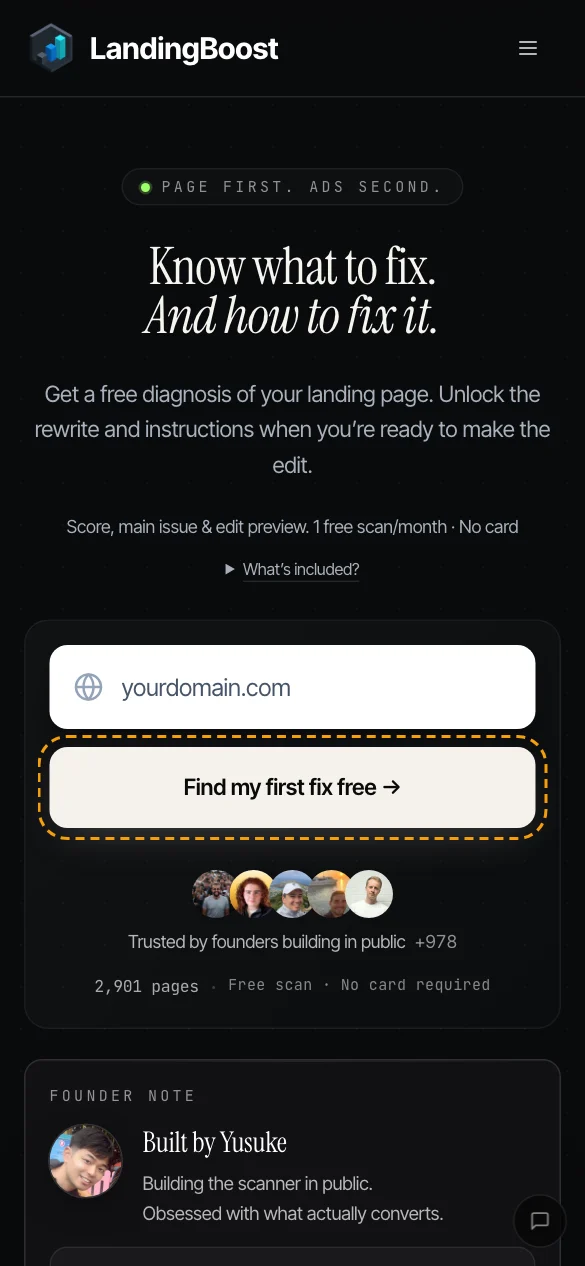
We check your first screen for what it is, who it’s for and what to do next, and write the line that’s missing.
LandingBoost opens your page on a phone and a desktop, marks every problem with the fix in your words, then checks your pages every day and shows you what changed.
Trusted by bootstrapped SaaS founders
3 signs ups Yusuke, right after your UX improvement suggestion. Damn, this guy knows how does conversion work!! 🔥Asif @akbuilds_ · builder of CiteGraph
Used LandingBoost before? Sign in with the same account.
You’re signed in. Open your dashboard


Real report · pagehum.com · scanned 21 Oct 2026, speed measured 23 Oct
How it works
Your key pages on a 390 px phone and a desktop, in a real browser. The rest of the site is read for prices, plans and links.
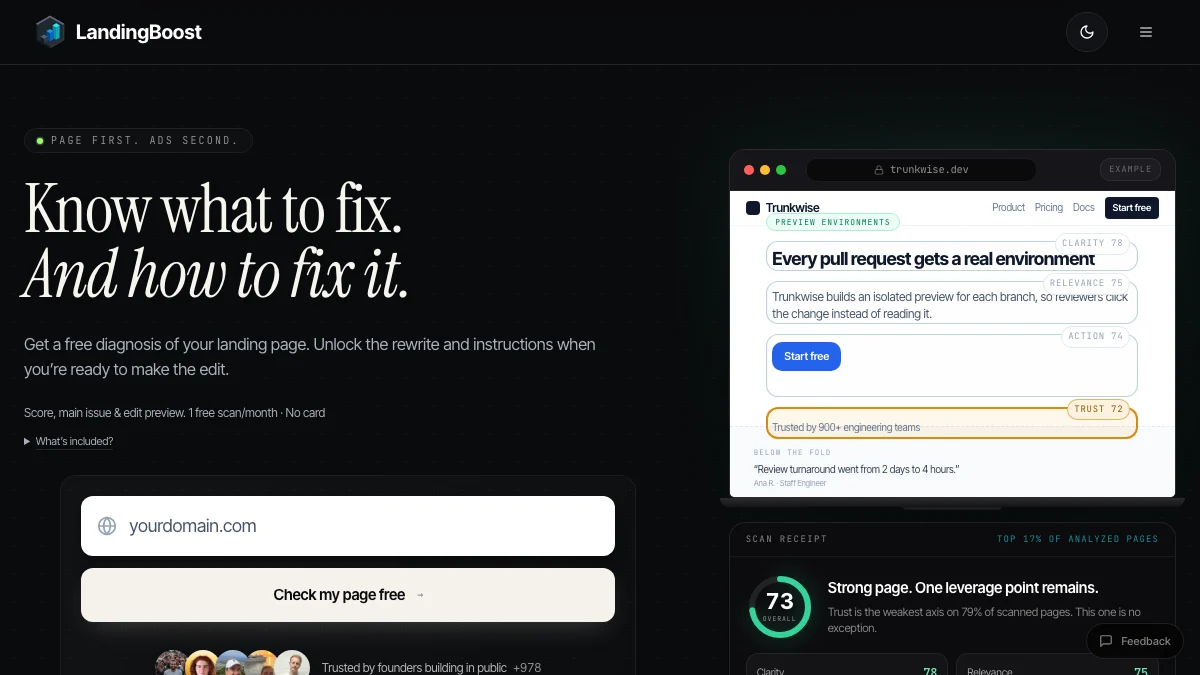
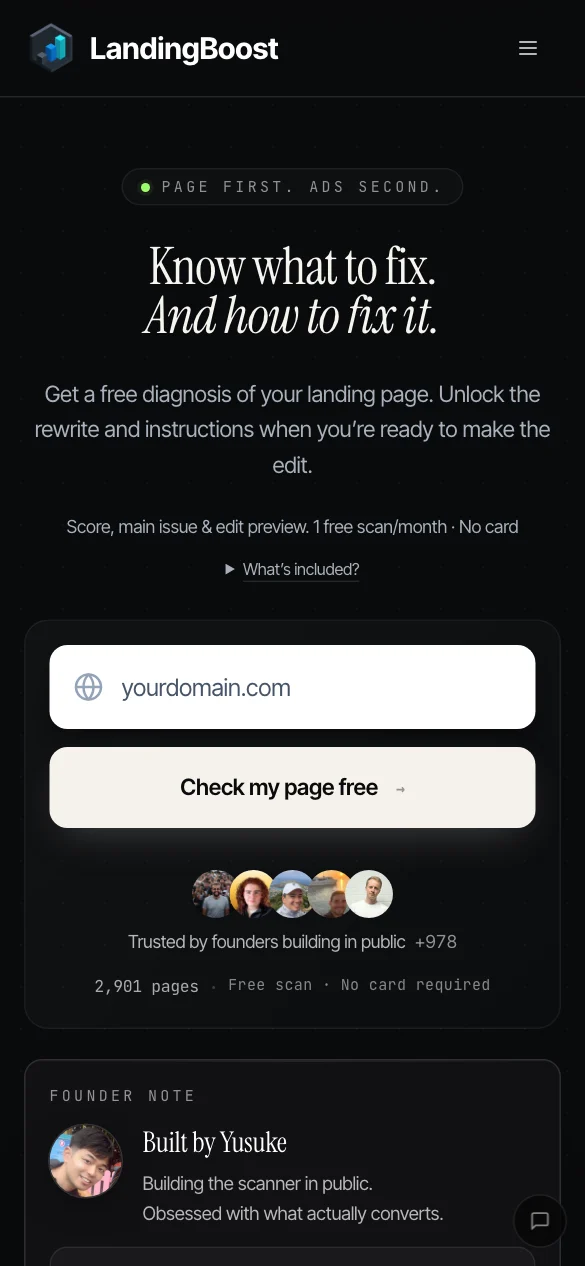
The same rules for every site, ranked by what a visitor meets first.
#1 New wording · line under the headline#2 New wording · main buttonYour first fix, drawn onto your live page before you change a thing. Nothing is published.
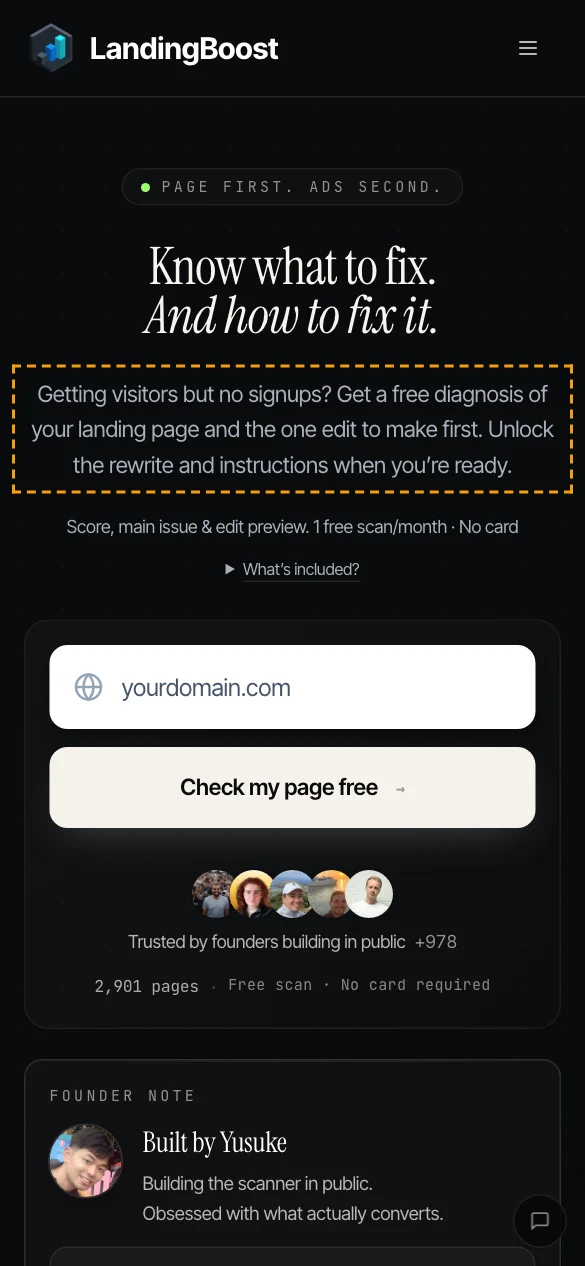
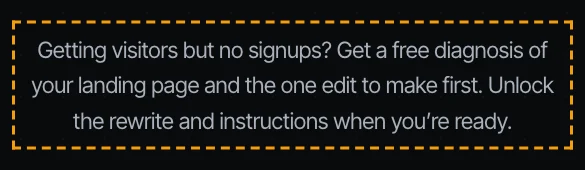
The line you have, the line to use, and why it reads better.
Every fix comes with a one-change brief: paste it into your agent. Or connect Claude, Cursor or Codex over MCP: add https://landingboost.app/mcp and sign in when your agent asks. MCP works on every plan; on Free, your agent sees what the free report shows.
How to connect each agent› paste the brief from LandingBoost
Edit the website landingboost.app. Make exactly this one change, then stop.
Find on https://landingboost.app/: “Get a free diagnosis of your landing page. …”
Replace it with: “Getting visitors but no signups? …”
Editing the homepage
−Now“Get a free diagnosis of your landing page. Unlock the rewrite and instructions when you’re ready to make the edit.”
+New“Getting visitors but no signups? Get a free diagnosis of your landing page and the one edit to make first. Unlock the rewrite and instructions when you’re ready.”
✓ Done. After publishing, check the live page again in LandingBoost.
Real brief. Example edit.
A heading, a price, a page that stops loading: you see what changed, before and after. Pro and Lifetime also get an email.
LandingBoost · daily check
2 changes on yoursite.com
Starter price$19$24
Headlinesimplestfastest
What it finds
You know your product and you test on a laptop. A first-time visitor doesn’t. We check what they see, and write the fix in your words.
We check your first screen for what it is, who it’s for and what to do next, and write the line that’s missing.
We look up the tools a buyer would compare you with. If your page never says why you, we show where to say it.
A cookie banner sits on the one button visitors came to press. You never see it: you accepted it long ago.
You updated one page, not the other. We read every page, so you see it before a buyer does.
Fast on your laptop and Wi-Fi. We measure it with Lighthouse on a phone profile.
A deploy hides a button, a price changes on one page. We check every day and show you what changed.
Also on every scan: a plan with no button, text that runs off a phone screen, broken links, “undefined” in the copy, tap targets, long paragraphs, titles and your sitemap.
Before / after
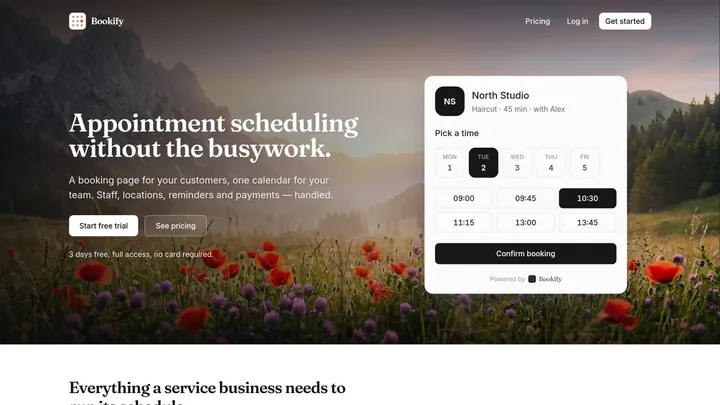
Two real captures of the same page from LandingBoost’s scan history, and what changed between them.
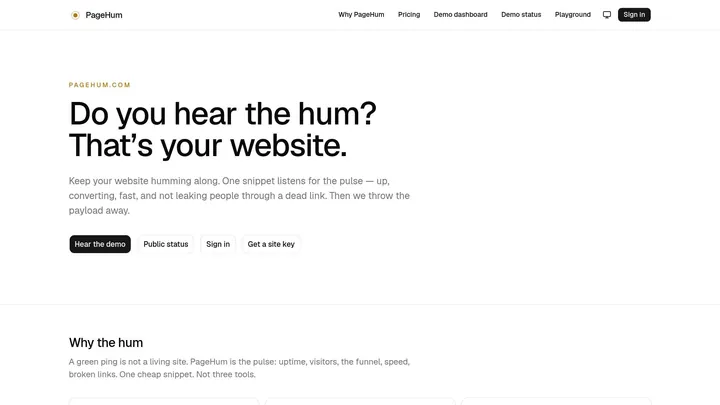
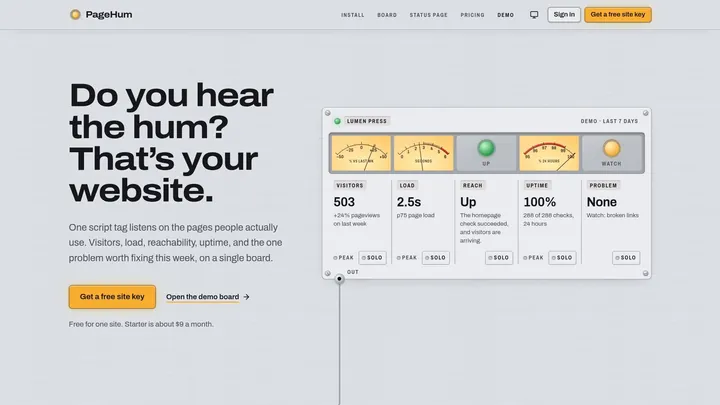
The monitoring product becomes visible inside the first impression.
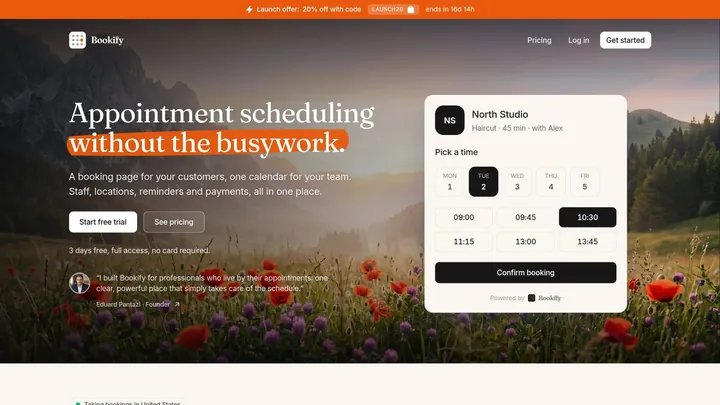
A founder statement appears directly below the main action.
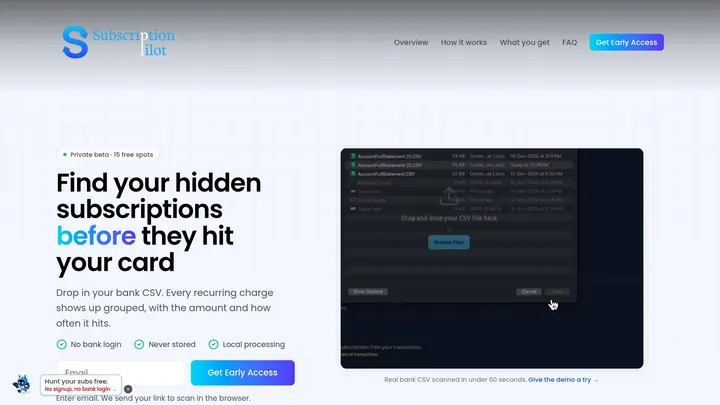
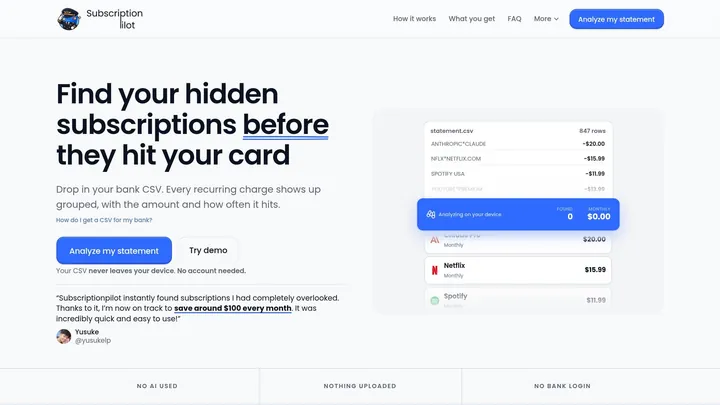
The same problem statement now leads into a usable product.
Pricing
A CRO agency charges $2,000+ a month to review your page. LandingBoost checks it every day.
$19/month
1 product · 5 scans a month
$49/month
Up to 5 products · 25 scans a month
$149once
Pay once: about 3 months of Studio
Free · 1 scan a month on 2 pages, every problem and its fix in full, daily checks of 1 site.
Start freePayments by Stripe. Prices in US dollars.
Questions
Anything else: support@landingboost.app
It ranks every change by what a first-time visitor meets first. Problems measured on your page come first, then new wording for the spots that matter most (the line under your headline, the main button, the pricing line), then smaller things. Each item says where it is, why it matters and what to change.
Measured: anything a fixed rule can check the same way on every site, such as layout on a phone and a desktop, buttons, banners, prices that disagree, broken links, speed and search basics. New wording is written by AI (Claude) from your page’s own text and screenshots, and every rewrite is checked against your site: one that adds a price, a name or a promise your pages don’t make is dropped. In the report, Must fix means measured on your page; New wording is written by AI.
Microsoft Clarity and Mouseflow record what visitors do on your site, so they need a script and traffic first. Confix and Converto review your landing page. LandingBoost reads your public pages with nothing to install, marks each problem with the fix in your words, then checks your pages every day and shows you what changed.
No. LandingBoost reads your public pages the way a first-time visitor sees them. No tag, no analytics connection, no code.
No. It only reads. You copy the changes you want, or hand them to your AI agent, and publish them yourself.
No. It shows what it found on your pages and the change to make. You decide what to ship, and your own analytics show what it did.
Any public page: homepage, pricing, features, onboarding. Each scan captures 2 pages on Free and 3 on Pro and Lifetime, on a phone and a desktop screen. The rest of your site is read for prices, plans and broken links.
Sign in with the same email or Google account. Your plan comes with you, and the reports you made before stay available.
Reports from the free plan are kept for 180 days. On Pro and Lifetime they stay as long as your account does. You can delete any report yourself.
Yes, over MCP. In Claude, connect LandingBoost from Claude’s connector directory (claude.ai/directory/landingboost). In Claude Code, Cursor or Codex, add https://landingboost.app/mcp and sign in to LandingBoost when your agent asks: there is no token to copy. In Claude Code: claude mcp add --transport http landingboost https://landingboost.app/mcp, then /mcp to sign in. Your agent can run a scan, read the fixes, check the live page again and mark them done. Scans count toward your plan; on Free, it sees what the free report shows. Every client and every tool: landingboost.app/mcp.
Each report also shows, below your fixes, what ChatGPT and Perplexity answer to a few questions written from your page and which products they name. It is a snapshot from the day of the scan, not a ranking.

Who builds it
Founders send me their landing pages on X, and the same few things keep showing up: a line under the headline that doesn’t say what the product is, a button a phone visitor never sees, two prices that disagree.
LandingBoost checks for those on a real phone and a desktop, and writes the fix in your own words: the same way I would mark up your page by hand.
@yusukelpsupport@landingboost.app
From founders on X
Real posts, word for word. Each one links to the post. 2,800+ pages scanned so far.
I just paid for the limited-time price of Lifetime access to LandingBoost … this solves a very CRITICAL problem when it comes to getting conversions for landing pages.
 Kevin Elliott@kevinelliott · Lifetime customer
Your tool is amazing and makes my landing page clearer for my visitors and more trustworthy, simply by rethinking its presentation. The @LandingBoost tool helped me land more sales in the last period …Eduard Pantazi @eduard_pantazi · WebScore

Thanks to @yusukelp ’s awesome landingboost.app, I’ve increase the conversion quality of my landing page by like 10x imho.Andrew Chu @theahchu

… there’s good findings in every scan I’ve ever doneTom Turcotte @TomTurcotteTech

Made some big changes to the landing page for problem scout using @yusukelp Landing Boost platform. Unbelievable tool! Completely transformed the message and hook in seconds.Joey Walker @Joey_Walker82

When I gave him feedback on a new tool, he stayed up until 7 AM working on it. … an absolute specialist in landing pages.Zid @_zidkim

LandingBoost is such a nice and straight to the point SaaS. People usually overlook the importance of the landing page …Antonio Escudero @AntonioEscudero

I made some improvements to my landing page, tested on your product, and I was impressed with the level of work done. You just built a very nice product 👌.Samuel Udeh @Sammichike

A couple of his questions took my landing page from the left side to the right side!Curlheinz @Curlh1

Just used landing boost, made by @yusukelp to improve my landing page. It was pretty useful. If you are builder, give it a try. It’s always beneficial to get independent judgement on your website.Shynggys Saparbek @china_saparbek
Free: 1 AI scan a month on 2 pages. No card needed.